
オンラインゲームの仕組み
How the Internet works
Before we start creating an online game, let's first understand how the Internet works, roughly speaking.
Client / Server architecture
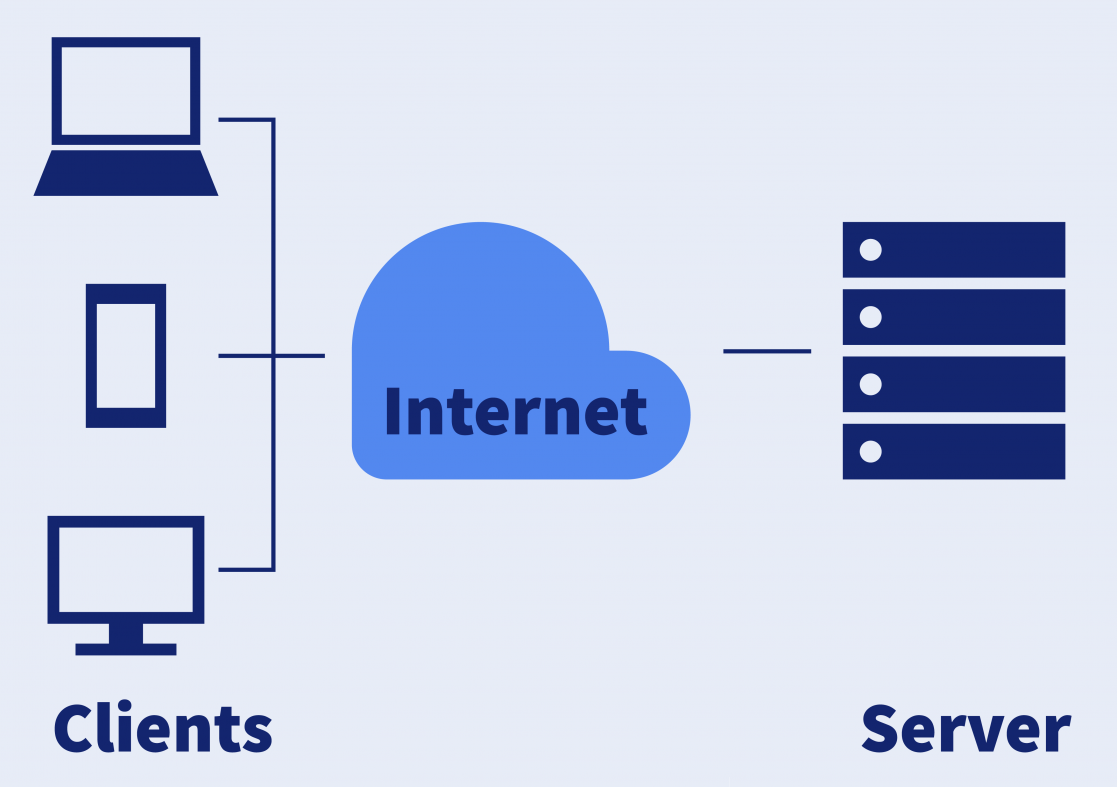
Most of the modern internet works in what is called a Client / Server architecture. In this architecture, two entities, one called Client and other one called Server send messages to each other.
The Client is the device facing the user. This is usually the browser in your computer or your smartphone. It could be an online payment app or your favorite chat messenger. It is the application you use every day.
The Server is a remote computer, usually in a data center, that receives requests from all the clients and sends responses to them. For instance, when you pay with your QR Code, your client sends the the payment information the server who then transfers the purchase amount to the shop you bought the item from.
Stateless Connections
In most Client / Server architecture, the connection always starts with a request from the client. The Server waits patiently until a request is made. In this architecture, the Server never contacts any client, as the Server does not know who the Clients are until they connect. This type of services are usually called "Stateless", because the Server does not keep track of each Client. It simply resolves the request and closes the connection.
Think about it this way. Google serves thousands of search queries every second from all over the world. It would be impossible to keep track of which PC asked for what, so all that Google does is run the search, return the results, and then forgets about that Client.
Requests and Responses
A message sent from the client to the server is called a "Request". The answer coming back from the server is called a "Response". In Stateless Connections, once the response is sent, the connection is severed and a new connection must be made for the next request.
IP Addresses and ports
IP Addresses
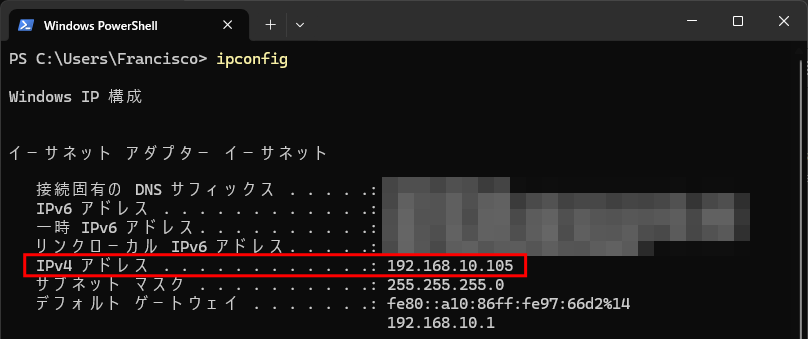
In order to connect to each other, computers need an identifier. IP addresses are unique numbers that identify each computer on the internet. Think of it as phone numbers for computers. There are two types IPv4 and IPv6. For our study, we'll mostly use IPv4 addresses, which look like this:
XXX.XXX.XXX.XXX
These are 4 sets of 3 numbers between 0 and 255, separated by dots. This gives out a total of
256 x 256 x 256 x 256 = 4,294,967,296
Possible addresses. However, not all of them can be used. There are some special use addresses that cannot be used on the Internet.
127.XXX.XXX.XXX - These are called "Loop-back" addresses. Any address that begins with 127 is pointing to the same computer. So if you try to connect to 127.0.0.0, you'll be connecting to the computer you are using right now.
192.168.XXX.XXX - These are called "Internal-use" addresses. These addresses can be used to connect to other computers that are in the same network, but cannot be seen from the Internet. They can be internet clients, but they cannot be internet servers. However, they can be servers within the same network.
Ports
Ports are connections slots within the same computer. A given computer might only have one single IP address, but multiple connections at the same time, each using a different port. One connection could be looking at a web page, while the other one is being used to send messages over LINE. Each port is identified with a number between 1 and 65535. However, there are some reserved numbers for specific services.
Port 80 - Web Services (http)
Port 443 - Encrypted Web Services (https)
Port 23 - E-mail services (smtp)
Port 137, 138, 139, 445 - Windows file sharing services (Samba)
You can quickly check which connections your PC is using right now using the netstat command in your computer. Ports are shown by the number after the colon (:) appearing after each connected IP address.
Real-time vs Asynchronous games
Depending on the play style of the game, we can break how they connect to the server in two different ways
Real-time games
Games in this category are First Person Shooters and MMOs. They need a quick, fast connection to the server. The server needs to respond fast too as delays in the response can drastically change the outcome of the game. Because of this, the game usually use permanent connections to the server and small data packets in binary format so they can be sent and processed quickly.
Asynchronous games
Asynchronous games are games in which lag is not an issue. A request can be sent to a server and a delay of 1 or 2 seconds would not cause any issues to the game play. Games in this category include trading card games or item collection games. Since speed is not a necessity, stateless connections are preferred, only sending data when necessary. Data is usually sent in JSON text format since it's easier to manage and read.
| Real-Time | Asynchronous | |
| Typical Game types | First person shooters, MMOs, MOBA | Trading card games, Item collection Games, Gacha games |
| Connection lifetime | Permanent connection only | Temporary connections |
| Type of data sent | Binary data | Primordially Text data |
| Connection State | State-full connections (The server keeps track of which clients are connected) | State-less connections (The clients must identify themselves on each connection) |
| Programming language | C++ / Rust | Node.JS (Javascript) / PHP |
What is an API?
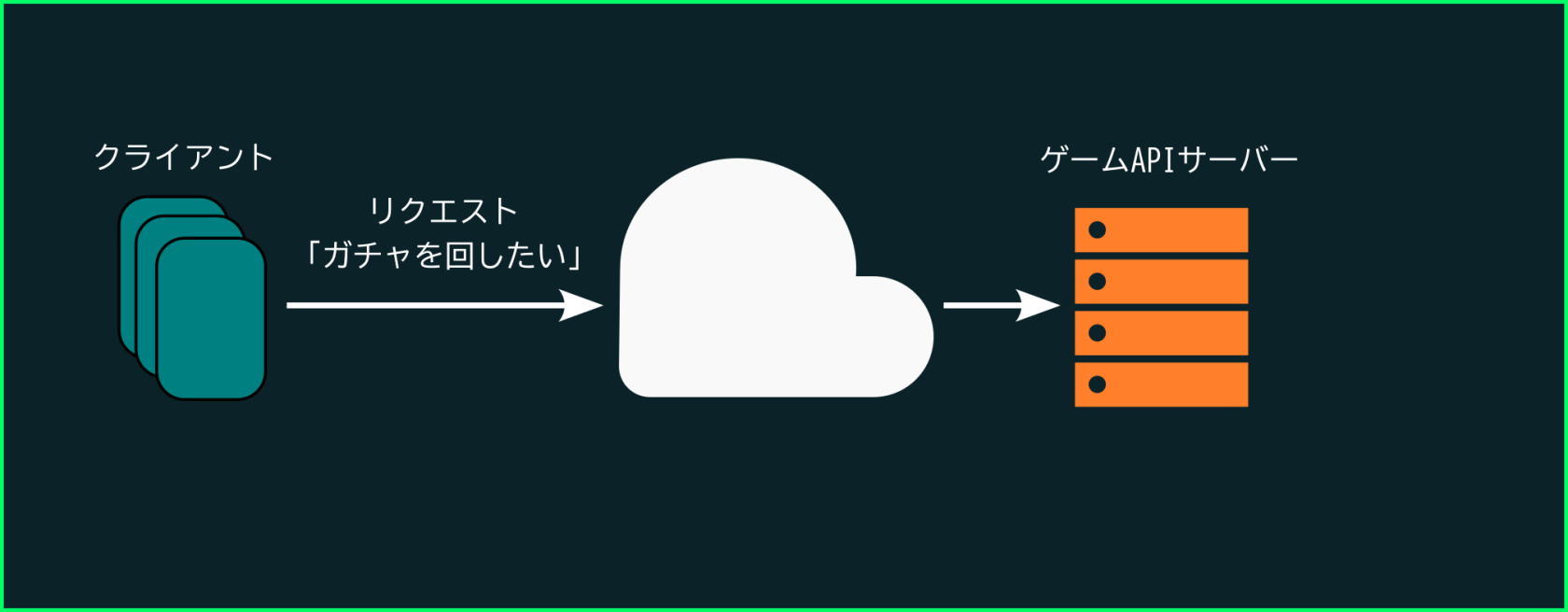
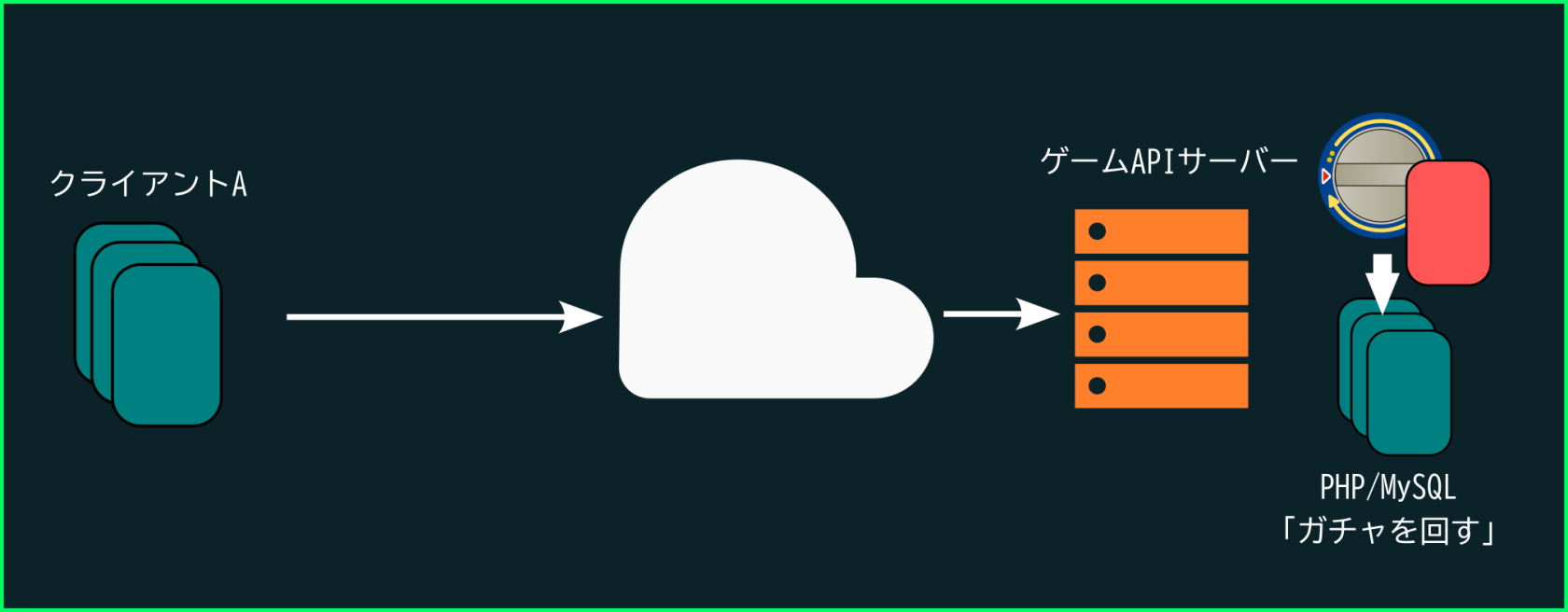
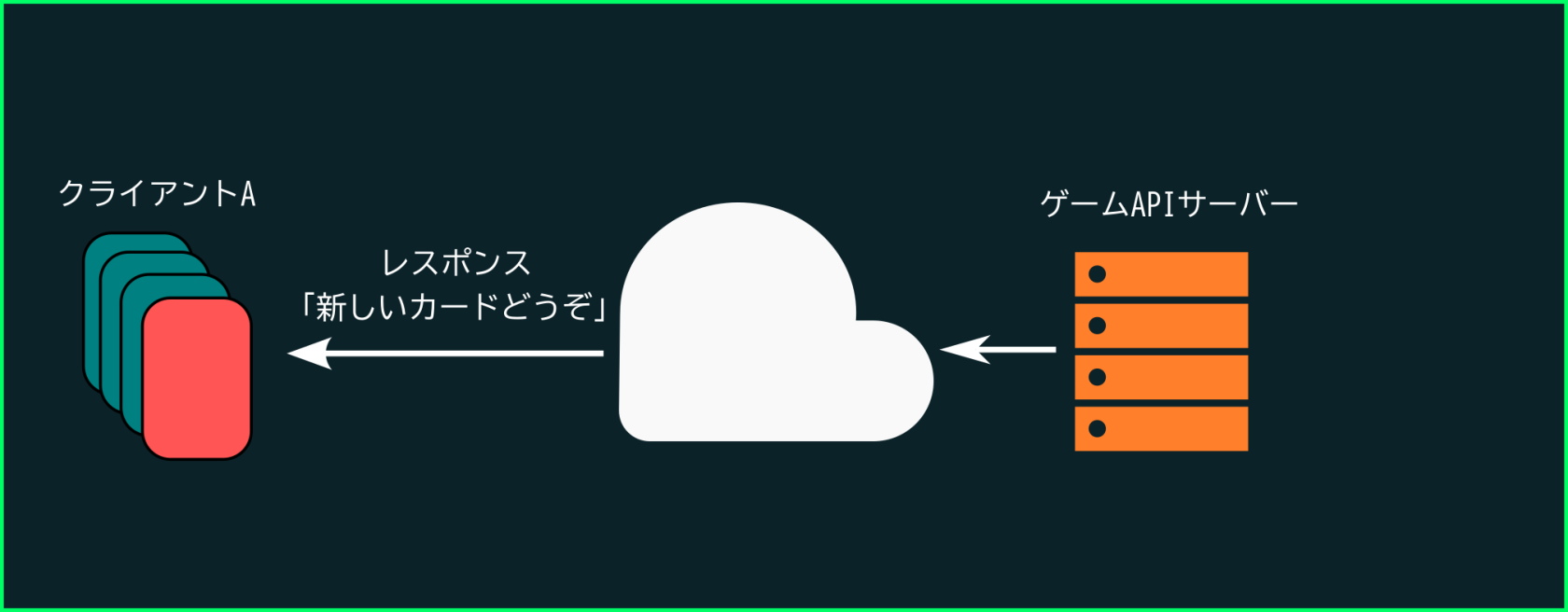
API stands for Application Programming Interface. In simple terms, it is a function or method that exists in the internet. Online games and other applications can use APIs to run part of their code online. For example, on a trading card game, we want to pull a gacha to get a new card. We can only pull a gacha once a day, so we need to confirm with the server. We use an API to send a "request" to the server to perform a gacha pull and, if the conditions are met, the server runs the necessary code to make it happen, giving the client the result of the operation as a "response".
The goal of this subject
In this subject we will learn how to create an online game API using PHP and a database (MySQL). We will learn how to store and search data on the server, so we can organize users and the items they have. Then we will use PHP to create an API (functions on the cloud) that we can run to login into the server and check our inventory
Finally, we will use Unity to access the API and play the game, connecting to our own server and testing the results.