
「PHP」と「C/C++/C#」の違い
Scripted vs compiled languages
Compiled Languages
C, C++ and C# are what is known as "Compiled Languages". They start with a text file (.c / .cpp / .cs). This file is then converted into an executable file (.exe in Windows), that can be run.
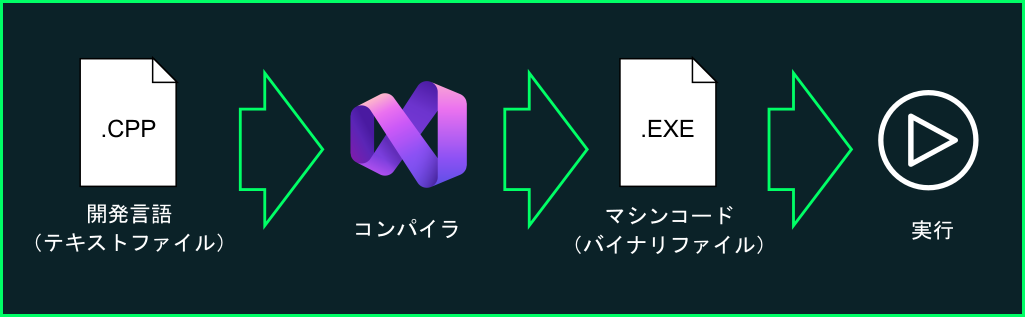
This process of converting a text file into an executable file is called "build" or "compilation". During this process, text instructions are converted into binary code that the computer can understand. Moreover, code is often "optimized" to run faster.
For example, a very short for loop could be "unraveled" into repeated instructions to to avoid going back in code.
| Original Code | Unraveled code |
|
|
The optimized code avoids a comparison (i < 4), gets rid of the variable i, since it never gets used, and avoids jumping back at the end of each for loop, which makes the code faster.
For this reason, compiled languages are fast when compared to...
Interpreted Languages
Interpreted languages include things like Lua, Python, and Javascript. These languages are not compiled into binary but use an "interpreter". An interpreter is a special software that converts each line of code, one by one, into binary at runtime.
The major advantage of Interpreted languages is that they do not need compilation. You can make minor changes to the code without having to rebuild your executable file. The disadvantage, however, is because it only executes one line at the time, it cannot be optimized (the interpreter does not know what is coming later down the code, so it cannot optimize it)
Another advantage of Interpreted languages is that they can run almost anywhere (Windows, Linux, MacOS) as is, as long as there is an interpreter for that platform.
PHP
PHP is a interpreted language. This means that no compilation is required. The PHP interpreter usually runs as a web server plugin. In our use case, XAMPP already comes with Apache (Web Server) + PHP already installed, so we can use it right away.
When we call a special webpage that ends with .php, Apache runs the PHP interpreter, converts the result to HTML and shows it to us as a normal webpage.
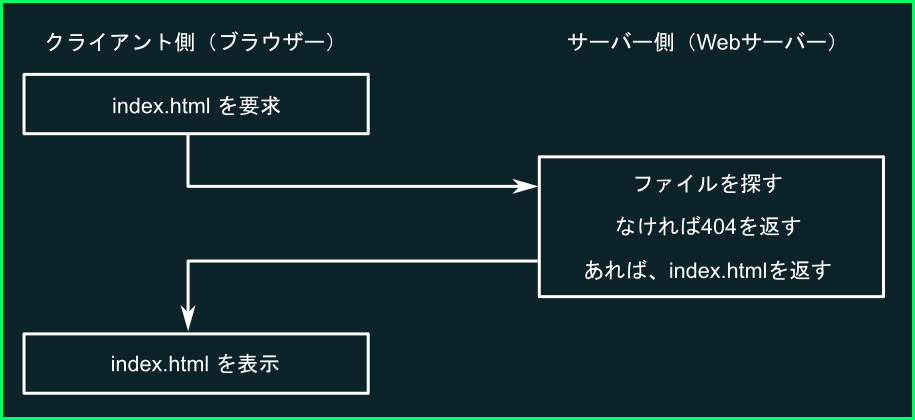
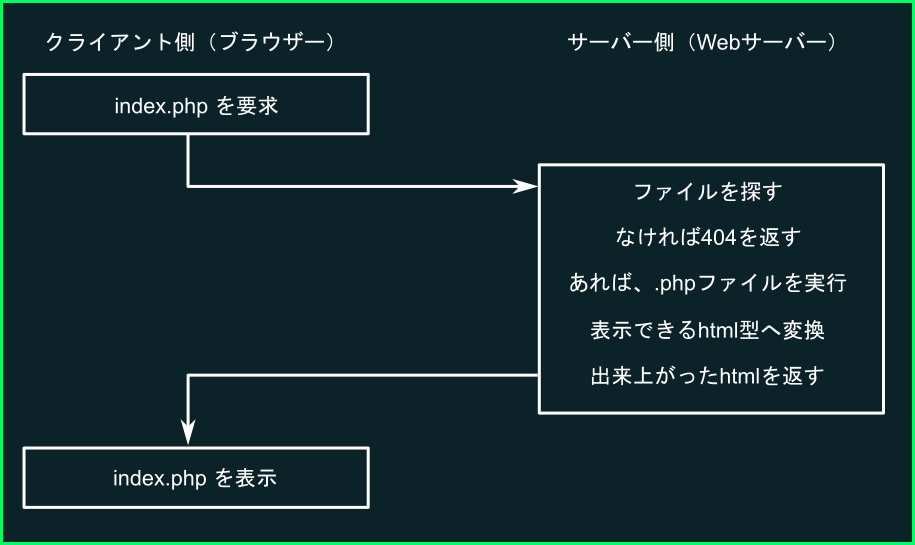
PHP runs once (no state saved)
PHP was created as a way to create dynamic webpages. This means, web pages in which the content can change. For example, each time you refresh X (Twitter), you get a new list of posts, as people post new content. Even though you're reloading the same page, the content is changing dynamically.
Because the way it was designed, PHP runs only once per page. Remember that web connections are stateless (connect -> get content -> disconnect). Because of this, there is no point in keeping a PHP program running after the page has been returned to the user.
This is a very important distinctions to a regular program. We are used to having variables live throughout the life of the program, but because PHP ends when the page has been served, no data remains in between page reloads. Each time we load a page, a brand new program starts, with its own variables and internal state.
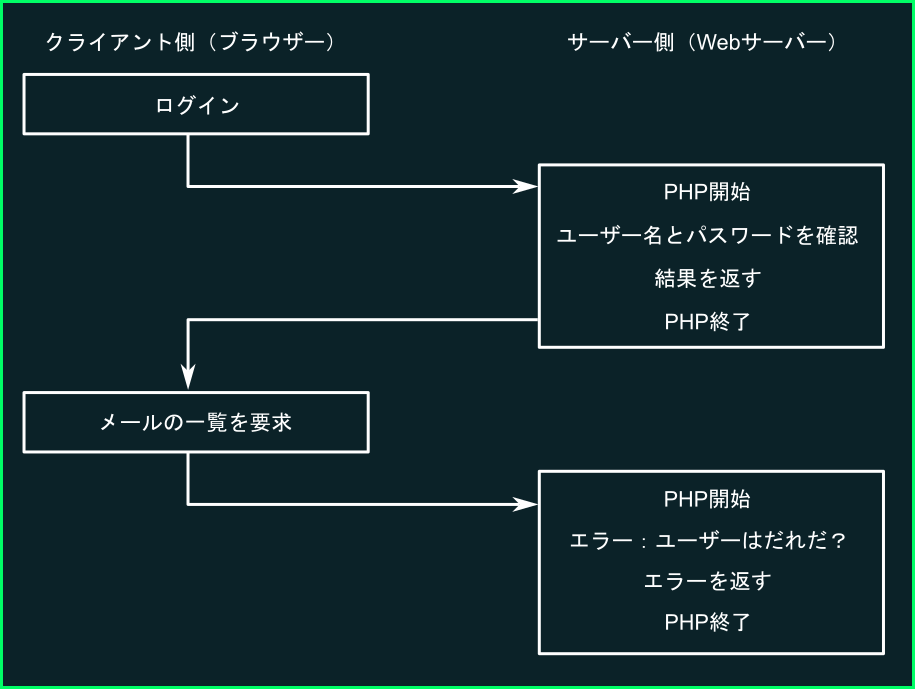
In order to keep data between calls, there are mechanisms that can be used (such as cookies or sessions). These mechanisms, however, are outside of the scope of this class. Those students that are interested, may refer to the textbook in page 113~119
We will need, however, to pass variables between calls. We will see how can we use GET and POST data to keep the server aware of some data between PHP script executions when we develop our Unity + PHP game.